Your event. Their songs. One great party.
Guests request and vote for music from their phones. You decide what can play and receive a share of every paid request.
Spotify Premium, initial setup and account activation required.

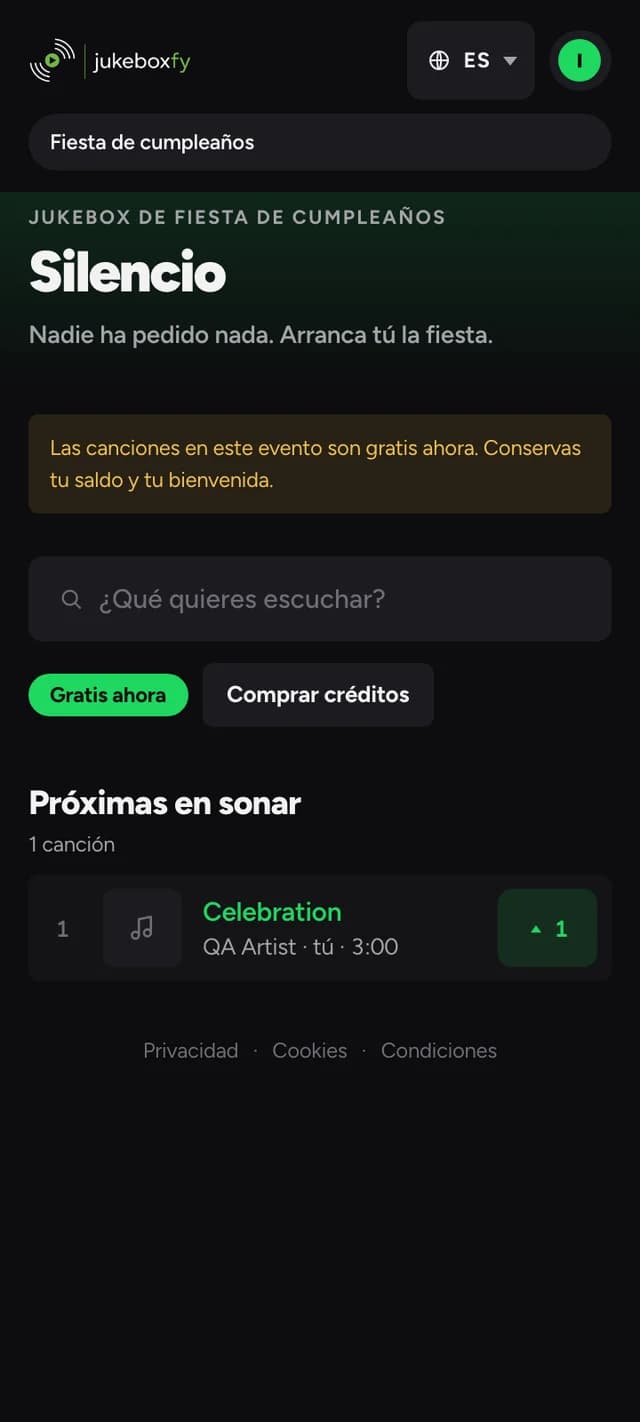
Three steps. No app.
- 1
They scan the QR
Place the QR code where guests can see it. They scan and join your event.
- 2
They pick a song
Search, request or vote for a song in the queue from a phone.
- 3
It plays on your Spotify
Connect Spotify Premium and select the device you use for music.
Nobody changes your vibe
Every request goes through your rules before it plays. Set them once from the panel.
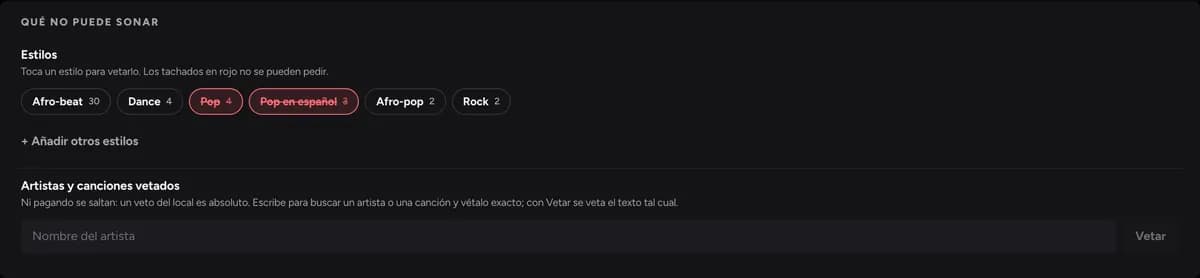
Blocked styles
Choose which styles fit your event. Blocked songs appear crossed out before guests request them.
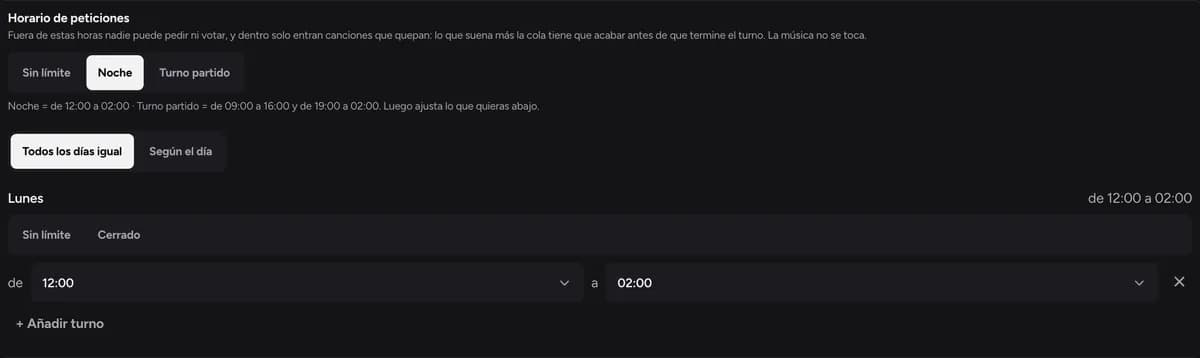
Request hours
Accept requests during the celebration or at the times you choose. The music can continue outside those hours.
Queue by votes
What most people want to hear plays first — or first come, first served. Your call.
No repeats for…
The same song can't come back until the time you set has passed.
You receive 50% of paid request spending
Guests can use credits to request songs. You receive your share of credits spent at your event.
- Free sign-up. No fees or commitment on the revenue-share plan.
- Payouts to your account whenever you want, from the panel.
- See it live: what has played and what you've earned.
A celebration, with everyone involved
Birthdays and parties
Share the QR code and let guests help choose the soundtrack to your party.
Social gatherings
Set request hours and combine guest participation with background music.
Celebrations and events
Set your rules, open requests and enjoy a shared selection.
What organisers ask
How much does it cost?
Sign-up and use are free on the revenue-share plan. Jukeboxfy earns when a guest pays for a request, and you receive 50% of the corresponding spending.
What do I need?
A Spotify Premium account, an internet connection and a device available in Spotify Connect. The assistant guides you through creating your Spotify app and setting up playback.
What if they request something that doesn't fit?
Block whole styles, let votes order the queue, or close requests at the time you choose. What doesn't fit never plays.
How do I get paid?
From the panel, through Stripe. Set up your account once and request a payout whenever you like.
When will my event be ready?
You can prepare your account as soon as you register. Your account must be activated to accept requests; connect Spotify, select the device and complete the sound test.
Does it work without an app?
Yes. Guests scan the QR code and open the website. There's no app to download.
Set the music for your next event
Create your account, set up Spotify and download your QR poster from the panel.
Create my event for freeSpotify Premium, initial setup and account activation required.